Difference between revisions of "Edit dashboard"
| Line 3: | Line 3: | ||
<translate> | <translate> | ||
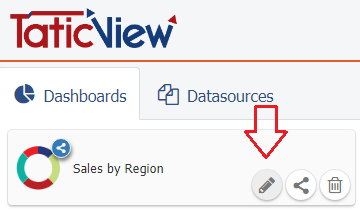
| − | + | To edit a dashboard, you must click on the ''Edit dashboard'' option, displayed when you position the mouse on the dashboard card in the [[Main Page Overview|Main Page]]: | |
| − | To edit a dashboard: | ||
| − | + | [[File:Edit dashboard en-US.png|link=]] | |
| − | |||
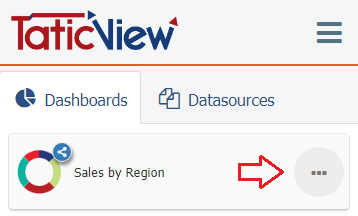
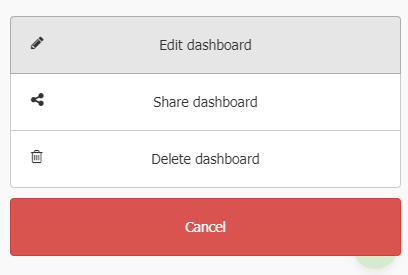
| − | + | Or, if you are accessing via mobile device, you must click the dashboard options button and then click ''Edit dashboard'': | |
| − | |||
| − | |||
| − | |||
| + | [[File:Dashboard options mobile en-US.png|link=]] | ||
| − | + | ||
| − | + | [[File:Edit dashboard mobile en-US.png|link=]] | |
</translate> | </translate> | ||
Revision as of 14:03, 31 August 2018
To edit a dashboard, you must click on the Edit dashboard option, displayed when you position the mouse on the dashboard card in the Main Page:
Or, if you are accessing via mobile device, you must click the dashboard options button and then click Edit dashboard: