Difference between revisions of "Modifying Properties"
| (4 intermediate revisions by 2 users not shown) | |||
| Line 1: | Line 1: | ||
| + | <languages/> | ||
| + | |||
| + | |||
<translate> | <translate> | ||
| − | |||
| − | |||
<!--T:2--> | <!--T:2--> | ||
| − | + | <div class="index-right">__TOC__</div> | |
== Dashboard Properties == <!--T:3--> | == Dashboard Properties == <!--T:3--> | ||
| Line 48: | Line 49: | ||
<!--T:14--> | <!--T:14--> | ||
| − | * Select the desired column by clicking on it inside the object | + | * Select the desired column by clicking on it inside the object, or by selecting it in the ''Selected column'' combo box; |
| − | |||
| − | |||
| − | |||
| − | |||
| − | <!--T: | + | <!--T:18--> |
| − | [[File:design_columntab.png|link=]] | + | :[[File:design_columntab.png|link=]] |
Latest revision as of 19:18, 26 February 2022
Dashboard Properties
- Select the dashboard clicking in any blank place on the design area;
- In the design side bar, click the Object tab;
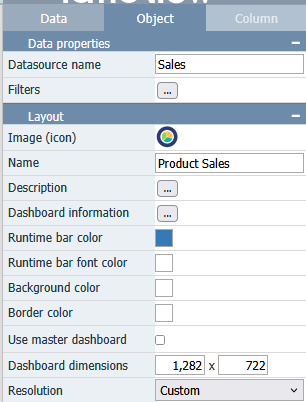
- Modify the desired properties. See Dashboard Properties for a full list of dashboard properties and its specifications.
Objects Properties
- Select the desired object(s);
- In the design side bar, click the Object tab;
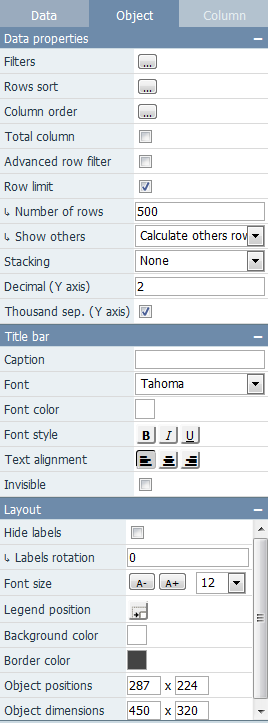
- Modify the desired properties. See Properties for a full list of object properties and its specifications.
Columns Properties
- Select the desired column by clicking on it inside the object, or by selecting it in the Selected column combo box;
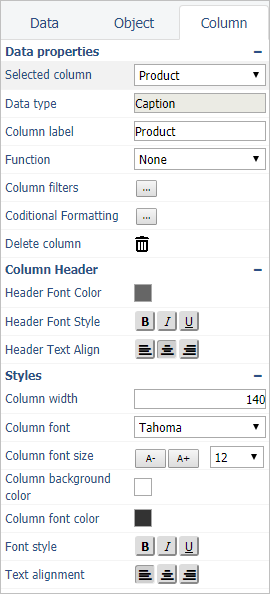
- Modify the desired properties. See Column Properties for a full list of column properties and its specifications.
